

What is a Dashboard within a Business?
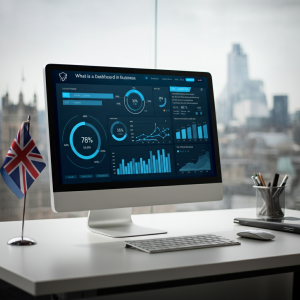
People in Business today need to make the right decisions efficiently and promptly. That’s when dashboards become useful tools. What do we mean by a dashboard in Business? Data visualization is about displaying information to help enterprises observe, study, and perfect how they work. Applying dashboards effectively can transform a messy collection of data into valuable knowledge.
Why Should Businesses Use Business Dashboards?
Dashboards make it easy to see key information about a company’s workings. They make decisions easier by showing essential metrics as they happen. It’s as if you have a facility specially designed for your Business.
Forms of Dashboards
Dashboards can vary significantly in what they display and how they present information. Depending on what an organization wants to achieve, these tools can be set up differently. This area includes several commonly encountered types:
1. Operational Dashboards
Operational control focuses on the metrics that you can observe changing in real time. They allow companies to observe everyday operations accurately. Such dashboards are crucial for addressing urgent matters, including tracking product deliveries and reviewing customer inquiries.
2. Analytical Dashboards
Equipped with in-depth features, dashboards enable companies to analyze past results and identify emerging trends. Business analytics utilize dashboards to help identify patterns in data, allowing businesses to plan and devise strategies for the future.
3. Strategic Dashboards
The main goals of a company for the future are summed up in a strategic instrument panel. Key performance indicators (KPIs) like growth in sales, market share, and worker effectiveness are things they keep an eye on.
4. Informational Dashboards
Most companies rely on informational dashboards when giving presentations and preparing reports. They are not interactive, yet they help present the project’s outcomes.
Steps for Getting Started With a Business Dashboard
There is more to building business controls than gathering charts and graphs. Set your marketing goals, choose key metrics, and select the appropriate tools to achieve them. Follow these five simple ways for better results:
• State your objectives: Make sure you know whether your goal is to monitor customer satisfaction or boost sales.
Select the source from which your data will be collected, including CRM systems, ERP software, and online databases.
• Pick the software that meets your needs: Power BI, Tableau, and Google Data Studio are good choices.
• Adjust the arrangement of information: How things are seen helps a lot. You can create a clear instrument panel by using charts, graphs, or tables.
• After you have constructed your dashboard, test it to verify its accuracy, working features, and importance.
What exactly are Business Intelligence Dashboards?
It utilizes various data elements to provide a comprehensive view of business activity. Its reach encompasses a variety of industries, including healthcare for monitoring patient status and retail for tracking stock. Because they are adaptable, business dashboards now support reliable data-based strategies.
A business that powers BI with a control panel can help retailers review sales in every region. With analytics, companies can enhance their ability to make informed decisions.
What Benefits Does a Business Console Have?
Investing in a high-quality business keyboard can bring advantages beyond simply making the Business more efficient and productive.
• Ease of Seeing: On a dashboard, the primary metrics stand out, and the rest is less apparent.
• Shared space: Having the same platform allows teams to work closely on the same tasks.
• Clear communication: You can follow progress effectively and keep all parties involved informed.
• Agility: Make fast changes to keep up with both the market and within the company.
• Personalize: Figure out the measurements, style, and look that will help you reach your goals.
How trends are affecting the growth of control panels
The info that dashboards show is changing just as quickly as the displays themselves. These are examples of hot topics:
With artificial intelligence, dashboards can anticipate changes, identify unusual occurrences, and suggest helpful steps.
Users of the future will be able to go deeper into data by interacting with new generations of dashboards.
As data breaches continue to increase, the most advanced dashboards utilize encryption and robust access controls to protect sensitive information.
Your Business Needs to Keep Up
A lack of business tools for fascia could mean your company falls behind in the market. Anytime you have a better idea of what is going on in your operations, you can manage them more effectively.
Let’s say your competitors have business intelligence console systems and console software, allowing them to respond to changes immediately. If you do not use these tools, your information may not represent the current situation.
You should not just adopt a dashboard; you should also become knowledgeable about its tools and features. A good control panel turns data into something a business can use to its advantage.
Picking the Perfect Indicator Panel Dashboard Solution
Several key elements must be considered when selecting the ideal console for business analytics.
• Accessibility: Do the data and metrics make sense to the user?
• Compatibility: Will it blend well with the tools you’re already using?
• Instant Updates: Can you see changes instantly on the platform?
Simply using Data Studio from Google is an excellent fit for small companies. Bigger businesses typically require more advanced tools, such as Tableau or Looker, to enhance performance.
Businesses that want to succeed in the modern data world rely heavily on dashboards. A control chart displays essential metrics in a well-designed manner, making it easy to turn data into informed decisions.
The Brand That Helps People Grow
Profitcura’s help with instrument board setup allows you to give your data a new voice. Whether you want to know what a business dashboard is or build an interactive dashboard, you’re taking the first steps into innovation!
Frequently Asked Questions
What does a business dashboard do?
With high-level data presented on a business dashboard, organizations can track their business activities and make informed decisions backed by data.
How do dashboards help a business?
With dashboards, businesses can quickly view information, save time, and gain real-time knowledge of critical activities, which improves their efficiency.
What kinds of business dashboards are there?
You can find dashboard types such as daily operational, data reporting analytical, and strategic dashboards for primary goals.
How does a business intelligence dashboard stand out from others?
A business intelligence dashboard includes powerful analytics functions to provide businesses with meaningful insights, predictions, and strategies.
Do dashboards work for small businesses?
User-friendly business dashboard software enables small businesses to track their operations, spending, and income, allowing them to make informed decisions.
What items should a dashboard for business analytics cover?
Business analytics dashboards should encompass key performance indicators (KPIs), current information, and a review of trends and goals that address the company’s needs.
How do you create a business dashboard that works well?
When creating a useful dashboard, emphasize the importance of clear information, add only essential data, and utilize business intelligence Power BI dashboard design to customize your work.