
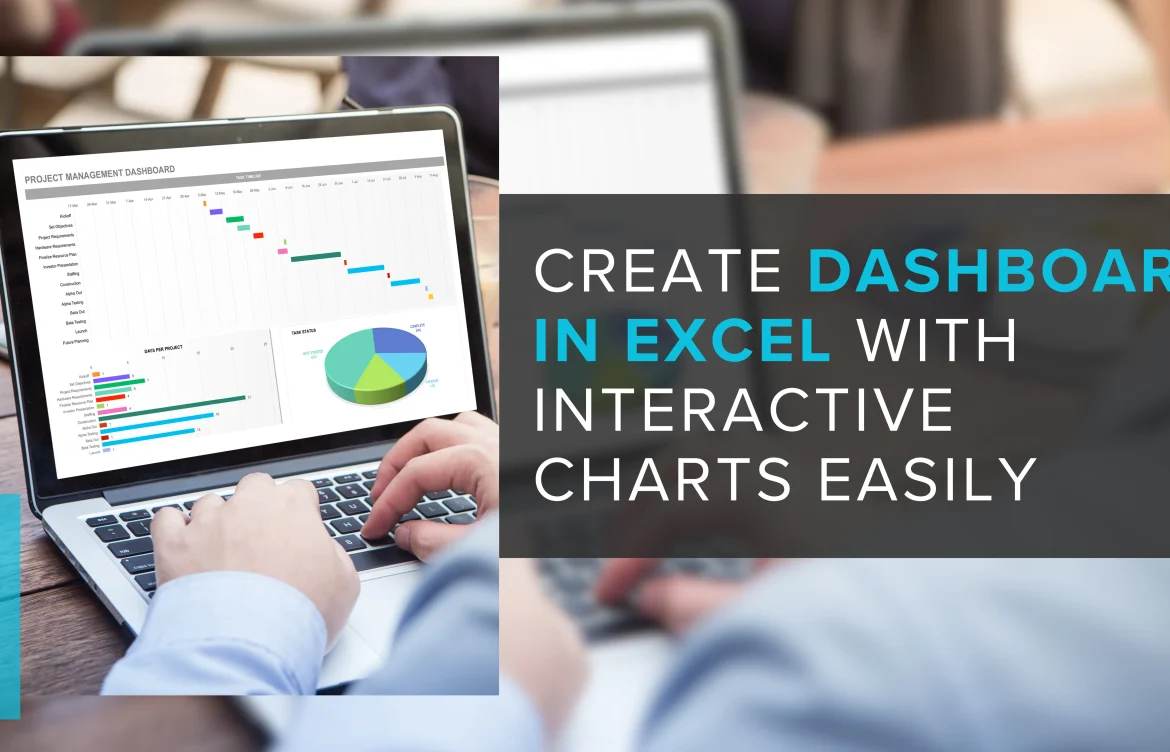
Create a dashboard in Excel Create Dashboard in Excel with Interactive Charts Easily
Create a dashboard in Excel transforms raw data into dynamic visuals, revealing stories hidden within numbers. Every organization, regardless of size, seeks clarity and agility Excel dashboards deliver both. By blending accessibility with powerful analytics, these dashboards empower users to make informed decisions with confidence.
Why Choose Excel for Dashboard Creation?
Excel remains a top choice for building dashboards thanks to its robust features, flexibility, and universal familiarity. Whether tracking sales, marketing, finances, or operations, a well-crafted Excel dashboard provides a clear, centralized view of performance metrics.

Step-by-Step Blueprint: Create Dashboard in Excel
Unlocking Excel’s full potential begins with a systematic approach. Here’s how you can bring your data to life:
1. Define Objectives
Identify the core questions your dashboard must answer. This focus ensures relevance.
2. Gather Data
Import essential information from various sources into Excel, ensuring it’s accurate and clean.
3. Design Layout
Sketch a visual plan group related metrics, select intuitive chart types, and arrange for readability.
4. Build Visuals
Use Excel’s rich chart library, conditional formatting, and slicers to craft interactive visuals.
5. Test and Refine
Validate formulas, check data links, and invite user feedback for continuous improvement.
Unlocking the Power: Excel Creating a Dashboard
A well-crafted Excel dashboard does more than display numbers it tells a compelling story. Users can quickly identify patterns, anomalies, and opportunities. The process of creating an Excel dashboard streamlines reporting and boosts productivity, making it indispensable for professionals seeking actionable insights.
Custom Dashboards: Tailored Solutions for Unique Needs
Not all dashboards are created equal. Custom dashboards provide the flexibility to address specific business requirements. By leveraging personalized layouts, unique KPIs, or specialized visuals, custom solutions keep decision-makers focused on what truly matters.
Shopify Dashboards: E-Commerce at a Glance
For online businesses, Shopify dashboards bring clarity to sales, inventory, and customer behavior. These tailored dashboards unlock rapid insights, streamline operations, and support data-driven growth strategies.
Dashboard CRM: Accelerate Relationship Management
Integrating dashboard CRM tools within Excel enhances customer management. Visualizing pipelines, tracking engagement, and monitoring conversions all become seamless, supporting stronger client relationships and better business outcomes.
Create Dashboard in Tableau: Expanding Visualization Horizons
While Excel is powerful, exploring how to create a dashboard in Tableau opens doors to more advanced analytics and visual storytelling. Tableau’s integration with Excel data means users enjoy the best of both worlds: familiar spreadsheets and sophisticated dashboards.
Unlocking Personalization: Build Custom Dashboard for Precision
Business intelligence thrives on relevance. Build custom dashboard solutions to display only the most critical metrics. Whether for executives, sales teams, or analysts, personalized dashboards keep everyone aligned and focused.
Custom Dash Build: Engineering Unique Analytical Experiences
A custom dash build allows you to combine multiple data streams, advanced filtering, and interactive visualizations. This approach elevates decision-making and provides a competitive edge by delivering insights tailored for unique challenges.
Personalized Dashboard: Insights That Matter
A personalized dashboard adapts to the needs of each user or department, displaying unique KPIs and visuals. This customization boosts engagement, ensures users see what’s relevant, and reduces information overload.
Salesforce Dashboard Creation: Streamlined Performance Tracking
Learning to create a dashboard Salesforce style within Excel brings CRM data into a familiar interface. This integration simplifies monitoring sales targets, pipeline progress, and team performance all in a single view.
Effective Reporting: Creating Reports in Power BI
If you outgrow Excel’s capabilities, creating reports in Power BI offers advanced analytics, interactive visuals, and stronger data integration. Power BI complements Excel dashboards, allowing organizations to scale their reporting solutions.
Customizable SEO Dashboards: Digital Marketing at Your Fingertips
With customizable SEO dashboards, marketers track campaigns, keyword rankings, and web traffic in real time. Integrating these dashboards in Excel ensures every marketing effort is data-driven and results-oriented.
Five Unique Benefits of Creating Dashboards in Excel
-
Instant Clarity: Transform complex data into easy-to-understand visuals.
-
Interactive Exploration: Slicers and filters offer dynamic analysis options.
-
Universal Accessibility: Widely used, requiring a minimal learning curve.
-
Cost-Effective: Utilizes existing software without added investment.
Adopting the ability to create dashboards in Excel is a game-changer for organizations of all sizes. By harnessing Excel’s powerful tools, building custom dashboards, and integrating advanced analytics, users gain clarity, agility, and a distinct competitive advantage. In case you’re exploring custom dashboards, integrating Shopify dashboards, or considering dashboard CRM solutions, Excel remains the foundation of effective business intelligence.
FAQs
1. How does Excel creating a dashboard boost productivity?
Excel creating a dashboard streamlines data analysis, allowing quicker insights and more efficient decision-making.
2. What advantages do custom dashboards offer over standard templates?
Custom dashboards are tailored to specific business needs, ensuring only the most relevant metrics are displayed for better clarity.
3. Why are Shopify dashboards valuable for online stores?
Shopify dashboards provide real-time snapshots of sales, inventory, and customer trends, helping e-commerce managers optimize performance.
4. How does dashboard CRM integration enhance relationship management?
Dashboard CRM integration visualizes customer data, making it easier to track interactions, monitor pipelines, and strengthen connections.
5. What sets the dashboard created in Tableau apart from Excel dashboards?
Creating a dashboard in Tableau offers advanced visualizations and interactive analytics, complementing Excel’s familiar interface for deeper insights.
6. How can creating reports in Power BI benefit business intelligence efforts?
Creating reports in Power BI delivers dynamic, interactive analytics, merging multiple data sources for comprehensive business intelligence.
7. Why should marketers use customizable SEO dashboards?
Customizable SEO dashboards centralize campaign metrics, keyword rankings, and traffic reports, supporting data-driven marketing strategies.